Sunnah Helper — Never miss a prayer. Keep the Sunnah every day.
Prayer times and reminders for the 13 Sunnah deeds, with tracking for every one you keep. A daily ayah and hadith, the Names of Allah and the Companions with quizzes, Zakat and the two Eids on their Hijri days, widgets — and At-Tadāʿī, the dua wall, every dua in your language, translated with AI.
- Free
- No ads
- Works offline
- Multilingual
Screens
See it in action
-
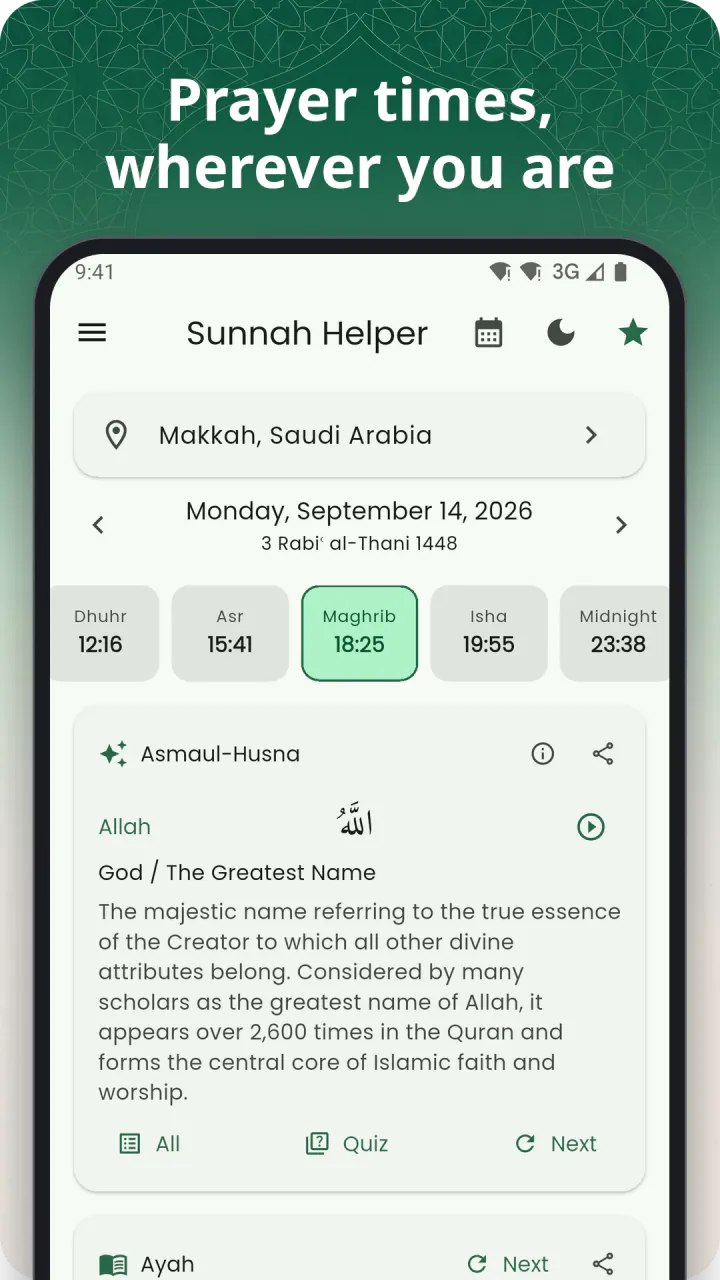
Home — today's prayer times -
Deeds — all 13 in one list -
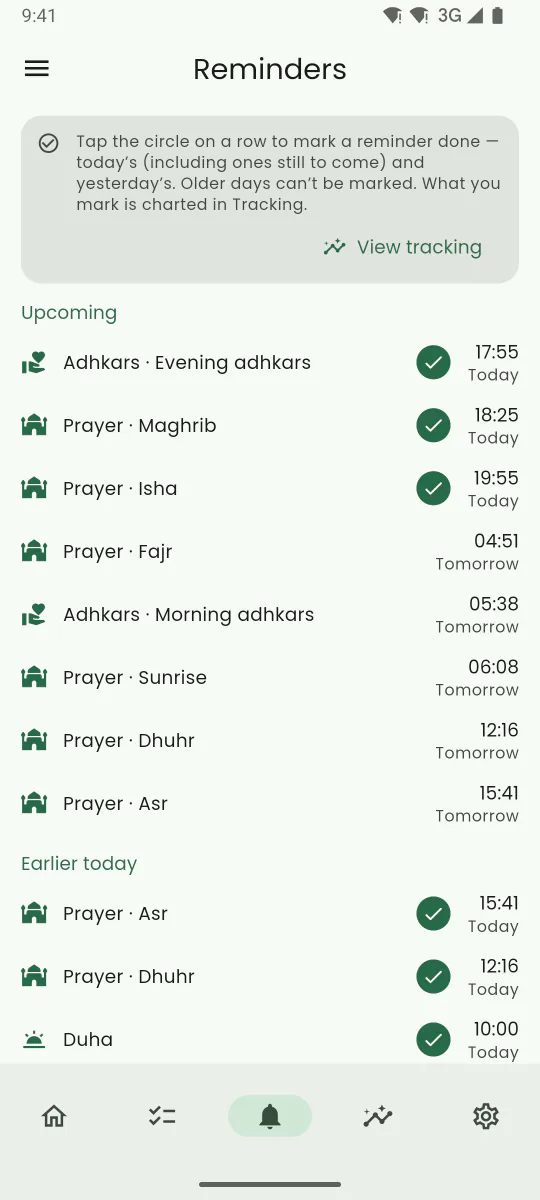
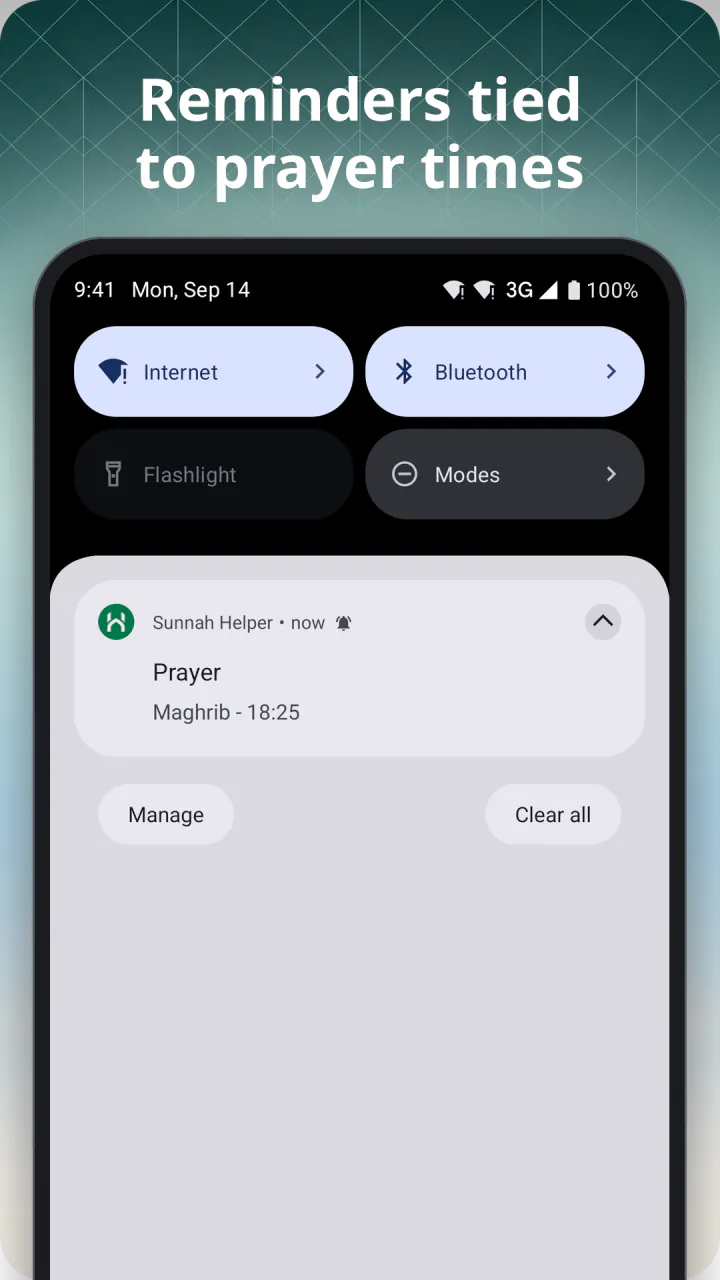
Reminders — set once, never miss one -
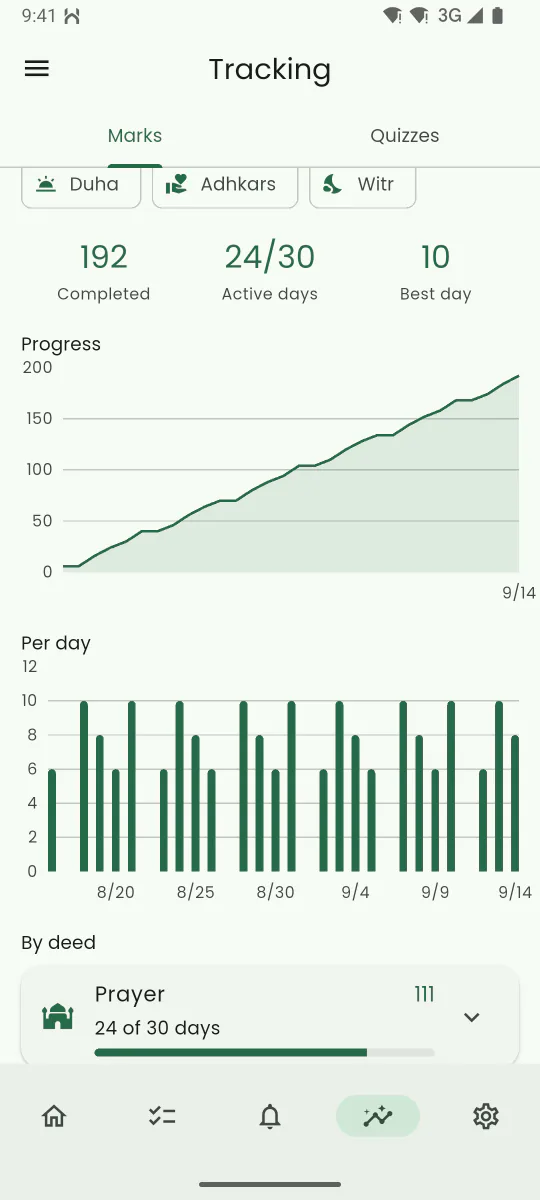
Tracking — your streaks and history -
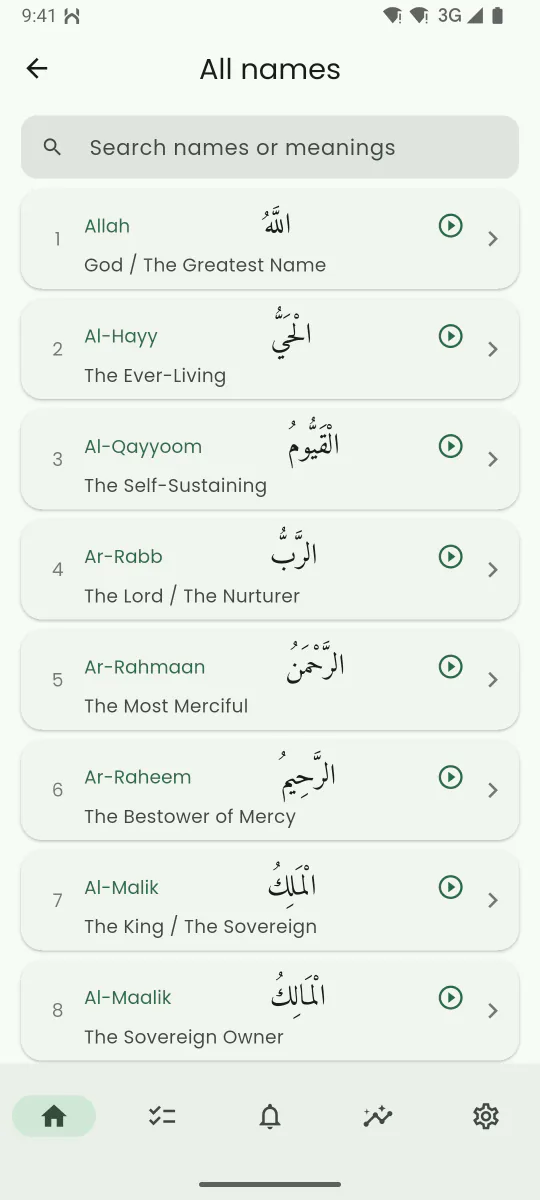
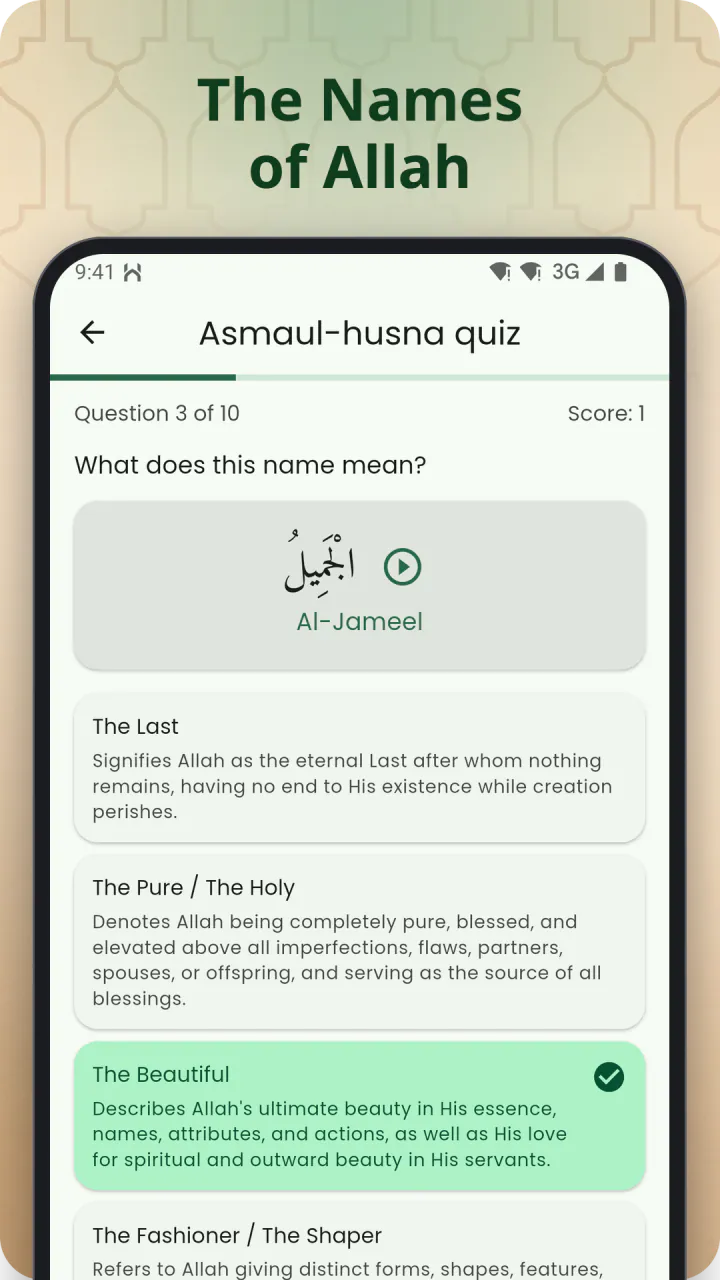
Names of Allah — meaning and recitation -
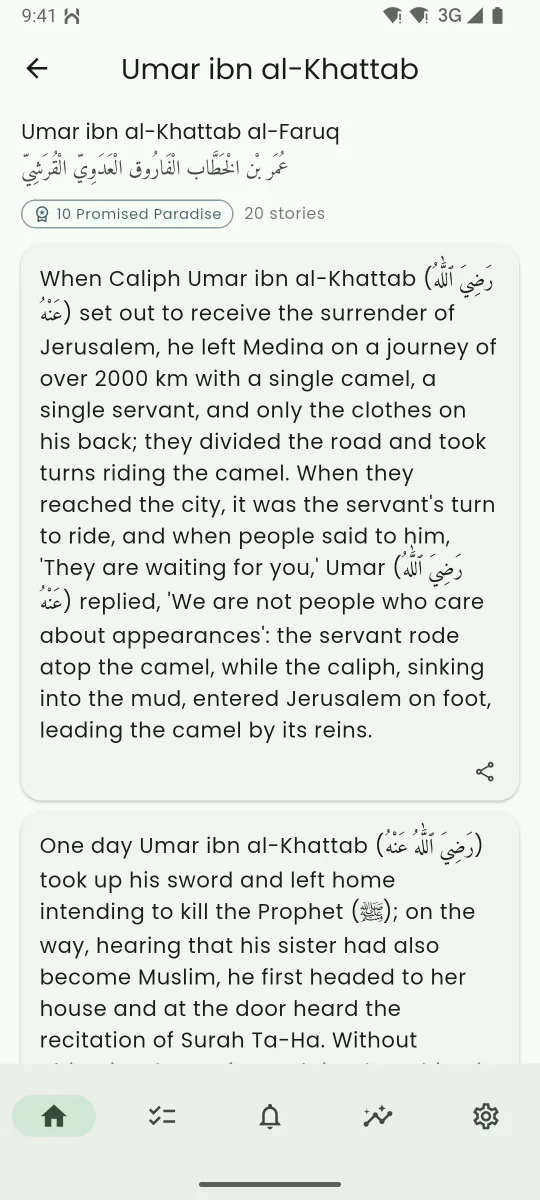
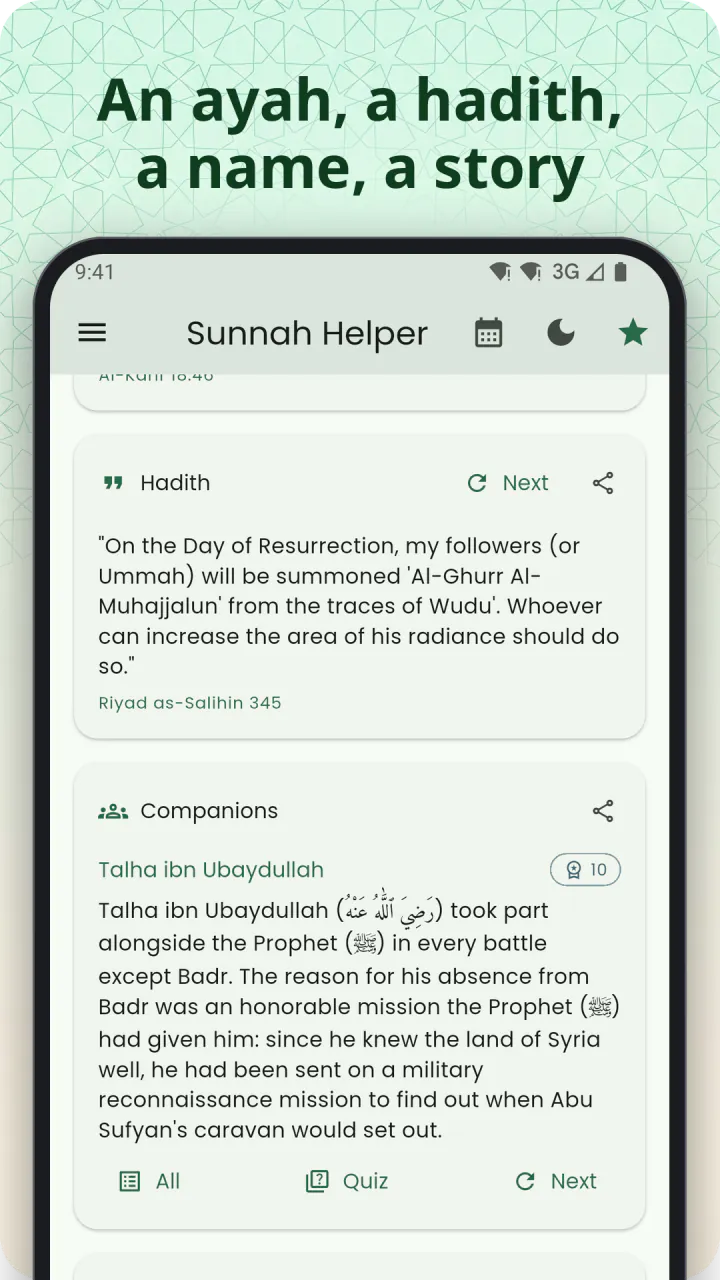
Companions — stories from their lives -
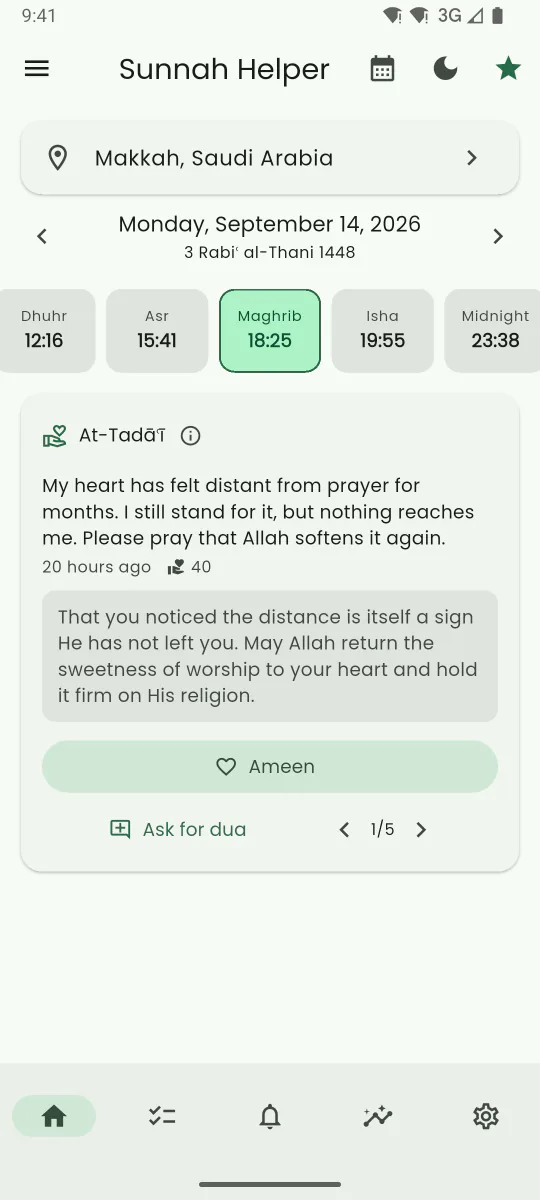
At-Tadāʿī — the community dua wall -
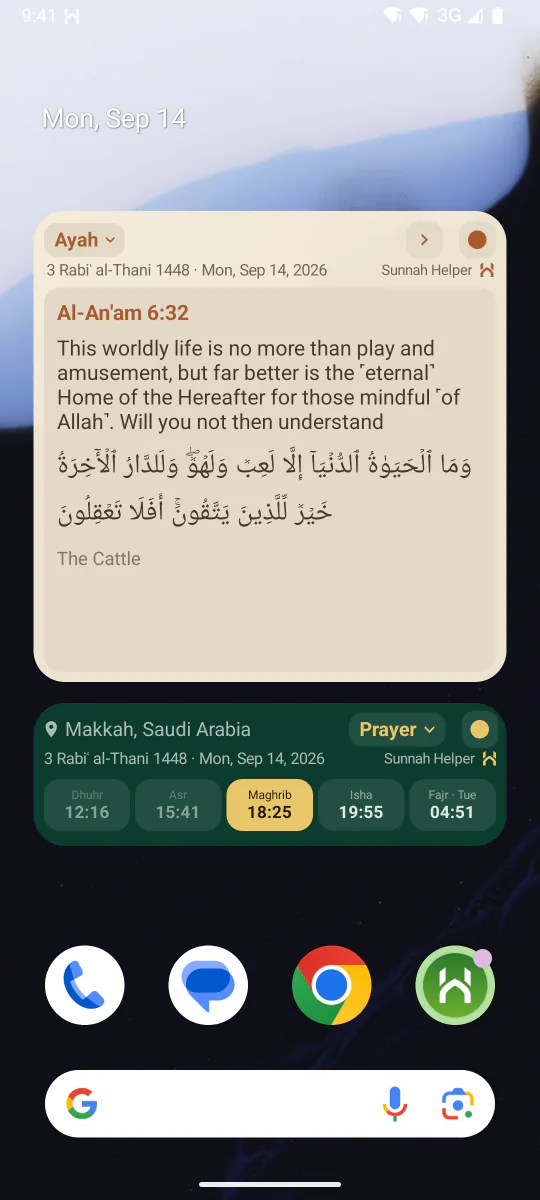
Widgets — right on your home screen

Prayer times
Prayer times that are actually right for you
Sunnah Helper calculates Fajr, Dhuhr, Asr, Maghrib and Isha for your exact location, using the calculation method your country actually uses — chosen automatically, and updated with a notification if you travel somewhere else. Switch it off any time, or choose from 16 methods and custom Fajr/Isha angles yourself.
Asr can follow the Standard or Hanafi rule, high-latitude rules are handled for you, and every prayer can be nudged by a few minutes to match your local masjid. Duplicate the Prayer deed to keep a second calculation method running side by side, right on Home.
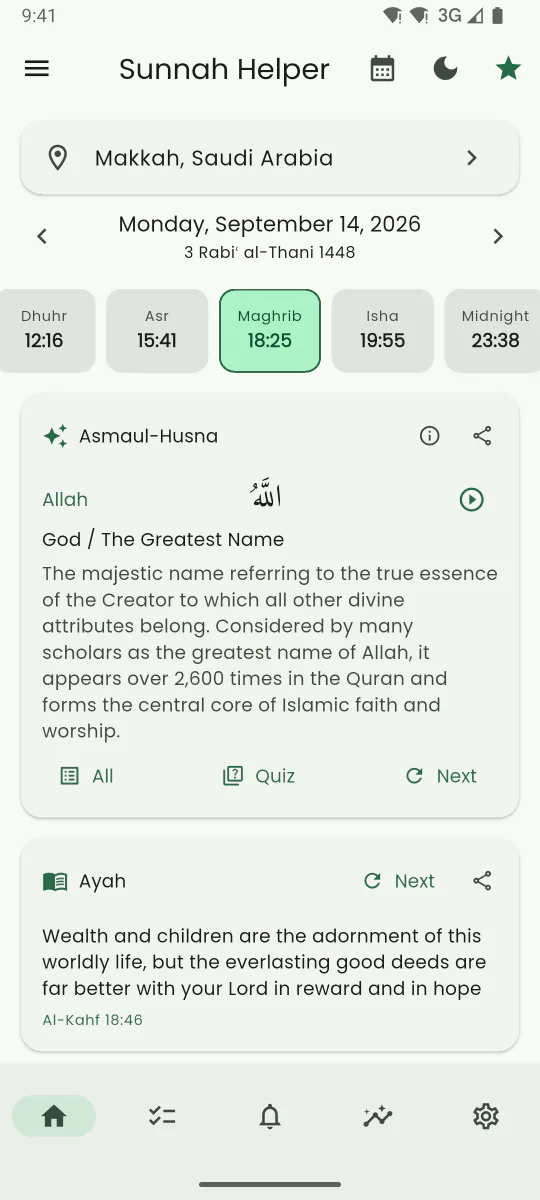
Home shows all eight events of the day — Fajr, Sunrise, Dhuhr, Asr, Maghrib, Isha, Midnight and the last third of the night — next to the Hijri date, with a monthly timetable.
- 16 calculation methods, chosen automatically from your country
- Standard or Hanafi Asr, with high-latitude rules
- Per-prayer adjustments, in minutes
- Monthly timetable and Hijri date

Qibla
Face the Qibla, wherever you stand
The Compass tab turns a dial with a Kaaba marker as you turn the phone, and reads out the bearing from north and the distance to Makkah. Come within five degrees and it tells you that you are facing the Qibla.
The Map tab draws the line from where you are to the Kaaba: it opens on the whole route, then moves in to your own street so you can match the line against the buildings around you. Two buttons take you back to either view.
- Compass and map — one direction, two ways to read it
- The bearing from north and the distance to Makkah
- Calibration help, with the figure-8 gesture animated
- The compass works offline, and it is free like everything else for prayer

Reminders
A reminder for every Sunnah deed
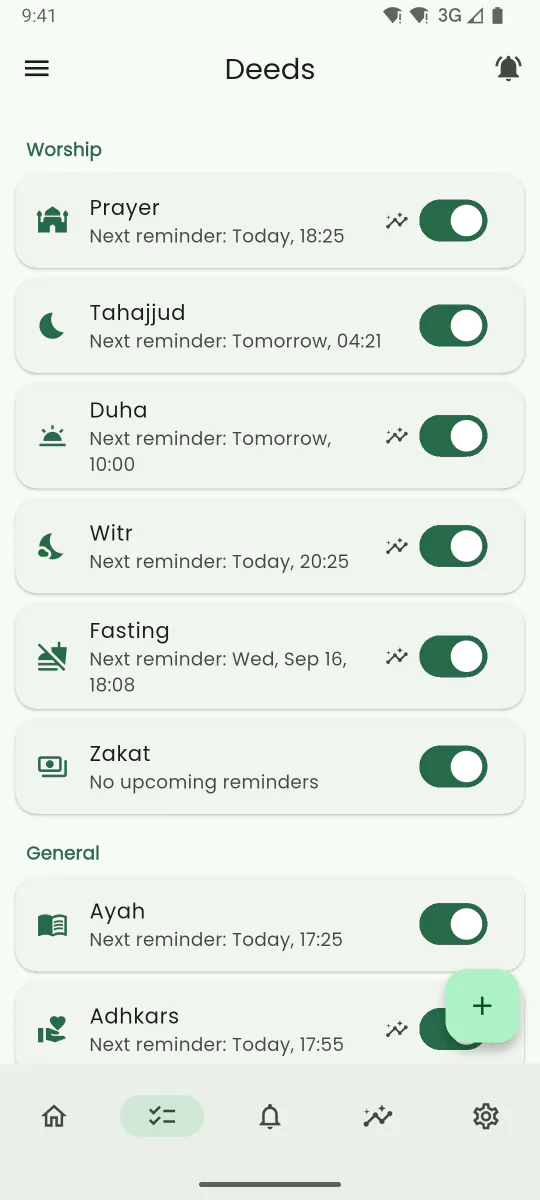
Thirteen predefined deeds, each with its own reminder — fired relative to a prayer or at a fixed time, on every day or on one day of the Hijri year, with its own sound and an optional hint, so you know exactly what to do when it goes off.
- Prayer
- Tahajjud
- Fasting
- Duha
- Kahf
- Adhkars
- Witr
- Hadith
- Names of Allah
- Ayah
- Companions
- Zakat
- Two Eids
Fasting reminders cover Mondays and Thursdays, the white days (13th–15th), the Day of Arafah, the first nine days of Dhul-Hijjah, six days of Shawwal and Ashura — the day before or on the day, your choice.
- Relative to a prayer (Isha + 20 min, Maghrib − 1 h…) or at a fixed time
- Any reminder can be pinned to one Hijri day a year — Zakat and the two Eids are below
- Your own sound and an optional hint line on every reminder
- Done and Willing to do right on the notification

Zakat & Eid
Zakat and the two Eids, on the Hijri day
- Zakat
- Two Eids
Zakat is the yearly charity on wealth kept above the nisab for a full lunar year — 2.5% of it, given to those in need. Sunnah Helper has a Zakat deed with one reminder, at midday on 20 Ramadan, and it comes switched off: Zakat is owed only above the nisab, so turning it on is your decision, not the app's.
The app also suggests picking a Hijri day of your own. Most people give their Zakat in Ramadan, while the needy are there all year — giving at another time spreads it more evenly over the year.
The Two Eids deed comes with three reminders, all on. Just after Maghrib on 23 Ramadan, a week's notice to prepare your Zakat al-Fitr, which has to reach the needy before the Eid prayer. Then a greeting on each Eid morning at nine — Eid al-Fitr on 1 Shawwal, Eid al-Adha on 10 Dhul-Hijjah.
- Zakat: one reminder at midday on 20 Ramadan, off until you switch it on
- Zakat al-Fitr: a week's notice, just after Maghrib on 23 Ramadan
- Eid al-Fitr (1 Shawwal) and Eid al-Adha (10 Dhul-Hijjah), at nine in the morning
- Any reminder of your own can be pinned the same way — it comes back every Hijri year

Tracking
See what you've kept up with
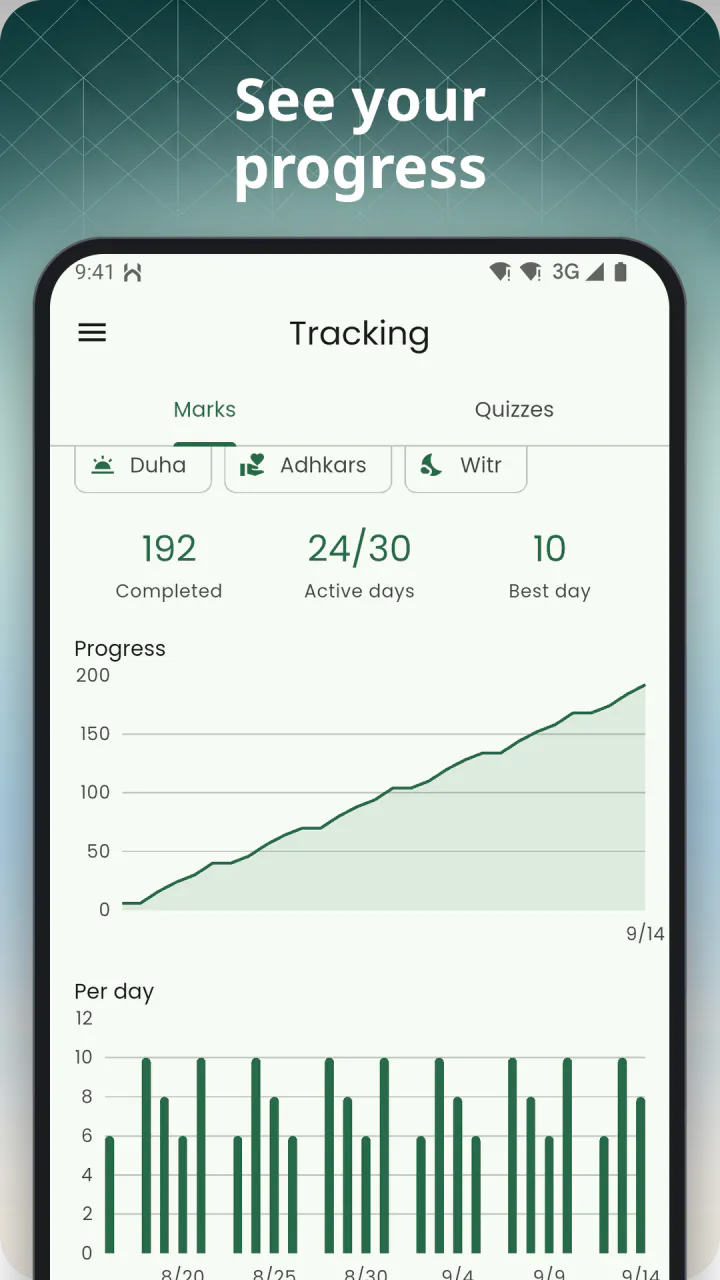
- Completions, active days and your best day, with a progress line against the period before
- Per-day bars and a breakdown by deed and by reminder
- 7 and 30 days free; Plus keeps those and adds 90 days and a full year — your history itself is kept forever

Learn
Learn, at your own pace
Four collections, free, with real sources — no ads between you and the text.
-
Daily ayah
Every day an ayah, translated
An ayah a day in Arabic with translation, a card on Home and a reminder before Maghrib.
-
Hadith
Hundreds of hadith
Hundreds of hadith on prayer, fasting, the Qur'an, dhikr, du'a, charity, good deeds, knowledge, character, patience, repentance, faith, family and the hereafter — each with Arabic, translation and source.
-
Names of Allah Quiz
With audio every name recited
The names of Allah (Asmaul-Husna) with meaning, explanation and a recitation you can play, plus a search.
-
Companions Quiz
Hundreds of stories
Hundreds of stories from the lives of the Prophet's companions, including the ten promised Paradise, with search.

Community
At-Tadāʿī — ask, and answer, together
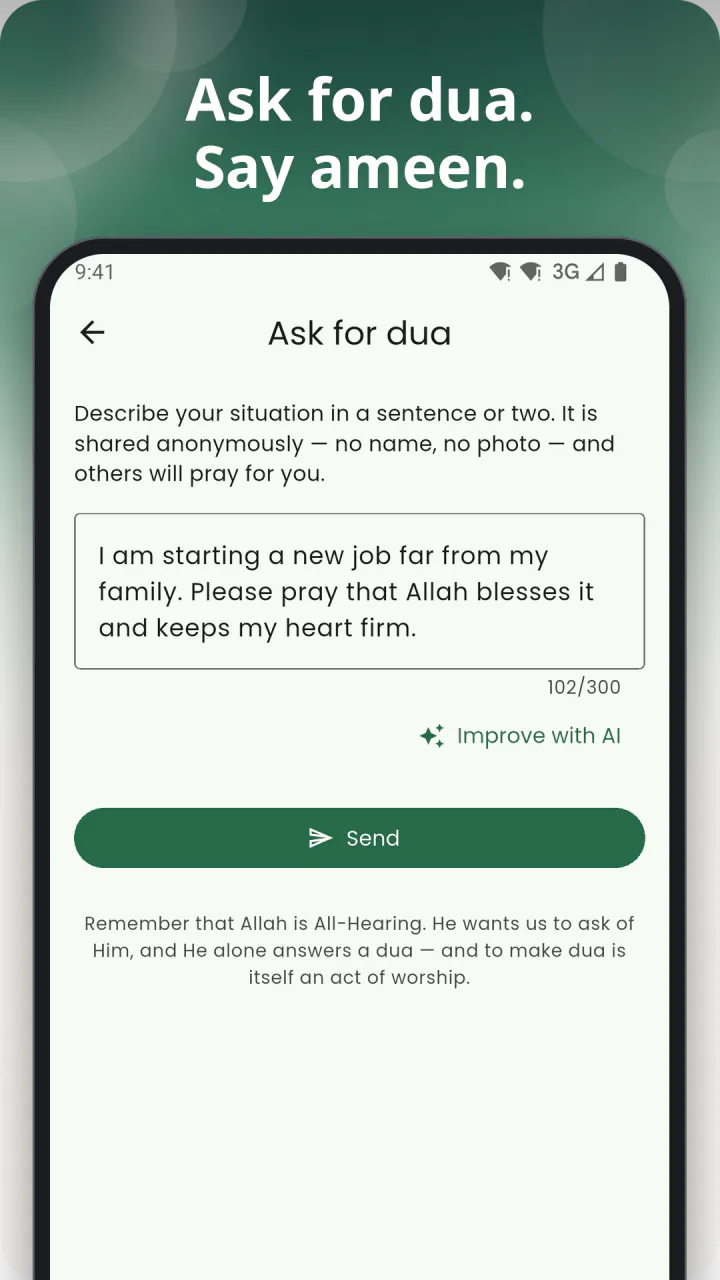
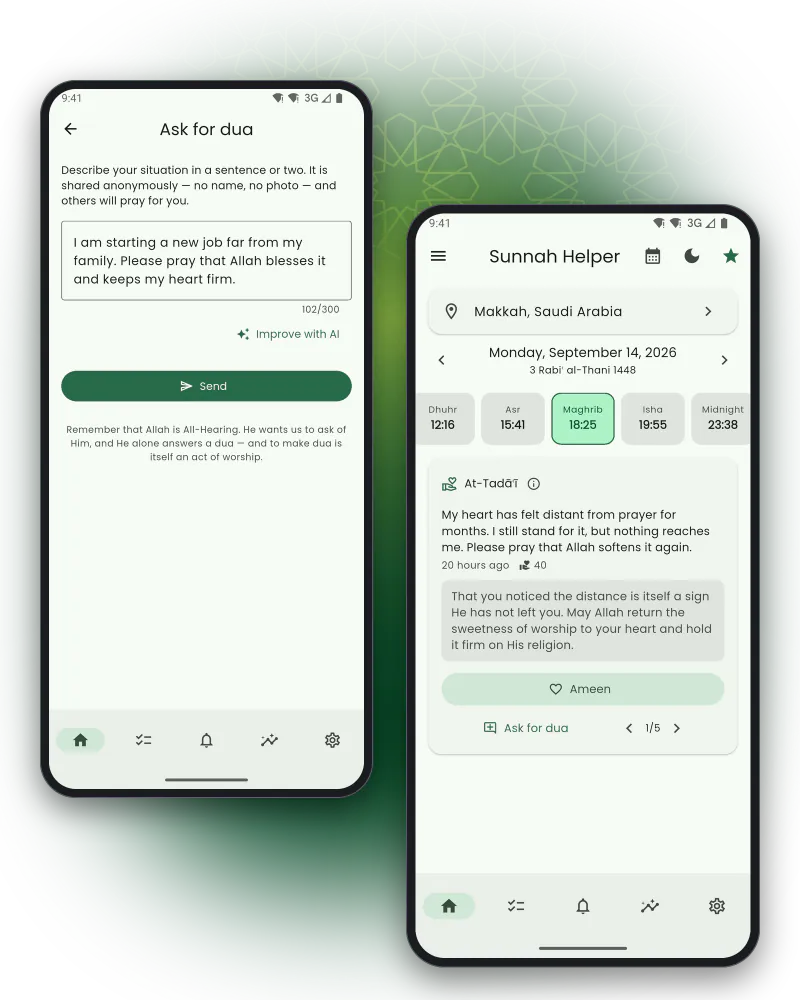
At-Tadāʿī is a wall of dua: read one request at a time, translated into your language, with a response you can say, then tap Ameen.
Reading needs no account; asking does — write up to 300 characters and choose who sees it and for how long, from six hours to three days.
Every dua is screened before it is translated and shown, and no one's name is ever attached to it.
An AI rewrite button can help you find the words, and Report and Block are always one tap away.
Widgets
On your home screen, not just in the app
Home-screen widgets on Android and on iOS 17 and later. Sunnah reminders shows a row of what's next; Sunnah reminders list stretches that into five rows; Sunnah info card turns through an ayah, a Name of Allah, a companion's story or a hadith every 15 minutes. Tap any of them to switch deed, theme or collection without opening the app.

Privacy and reliability
Made to be relied on
Works offline
Prayer times, reminders, tracking and every collection run on your device — no connection needed.
No account needed
Every worship feature works without signing in, from the first launch.
No ads, nothing tracked to you
Sunnah Helper carries no advertising of any kind. It counts which screens are opened so it can be improved — never your duas, your location or anything you wrote, and never linked to you. One tap turns it off.
Your data stays on your phone
Unless you sign in for backup, everything you enter never leaves your device.
Built to actually notify you
At first launch the app checks what could delay a reminder — notification permission, exact alarms, battery optimisation — and offers one-tap fixes.
Multilingual, full RTL
English, Azerbaijani, Arabic, Russian, Turkish and Urdu, with a proper right-to-left layout for Arabic and Urdu and text size up to 160%.
Plus
Sunnah Helper Plus
Everything that is worship is free, forever — prayer times, the adhan, every reminder, tracking, the Qur'an and hadith, the Names of Allah, Qibla, the widgets. Plus adds depth.
$3.99 per month or $39.99 per year
7-day free trial, cancel any time, no lifetime tier. Shown in your store's currency at checkout.
| Area | Free | Plus |
|---|---|---|
| Prayer times, Hijri, Qibla, timetable | Everything | Same |
| Reminders for the 13 deeds | Everything | Same |
| Custom deeds | 2 | Unlimited |
| Extra reminders | +10 | Unlimited |
| Adhan & sounds | 1 adhan + 6 alert tones | Every adhan, any device sound |
| Tracking history | 7 and 30 days | 7, 30, 90 days and 1 year |
| Names & Companions quizzes | 10 a day each | Unlimited + score history |
| At-Tadāʿī — reading, Ameen | Everything | Same |
| At-Tadāʿī — asking | 2 a day, one every 3 hours | Unlimited — 3 every 3 hours |
| AI rewrite of your dua | 3 a day | Unlimited — 5 every 2 hours |
| Widgets on the home screen | 2 | Unlimited |
| Custom widget theme | — | Yes |
| Cloud backup & sync | — | Yes |
| Ads | None | None |
FAQ
Frequently asked questions
Is Sunnah Helper free?
Yes. Prayer times, the adhan, reminders for all 13 Sunnah deeds, tracking, the Qur'an and hadith collections, the Names of Allah, Qibla and the widgets are free, with no ads. Sunnah Helper Plus is optional and adds higher limits and depth — unlimited custom deeds and reminders, every adhan and device sound, longer tracking history, unlimited quizzes with score history, higher At-Tadāʿī limits, unlimited widgets with a custom theme, and cloud backup & sync.
Do I need an account?
No. The app works fully without one. An account is only needed for cloud backup & sync (Plus) and for two things on the At-Tadāʿī dua wall: saying Ameen and asking for dua yourself. Reading the dua wall needs no account either.
Which prayer-time calculation method does it use?
Sunnah Helper picks the method used in your country automatically, from 16 supported methods, and you can add custom Fajr and Isha angles. You can also choose Standard or Hanafi Asr, apply per-prayer adjustments in minutes, and switch off the automatic choice at any time.
Why did my calculation method change?
The app changes the calculation method — with a notification — only when it detects you've moved to a different country; it never changes on its own while you stay put, and your per-prayer adjustments are always kept. To pick a method yourself and stop it from changing again, open Deeds → Prayer → Calculation method, then turn off "Set method from location" under Settings → Location.
My reminders arrive late or not at all
This is almost always your phone's battery optimisation delaying or killing the app in the background. At first launch, and any time from Settings, Sunnah Helper checks notification permission, exact alarms and battery optimisation for your specific device and offers one-tap fixes; the in-app FAQ also links to manufacturer-specific guidance (see dontkillmyapp.com for background on why this happens).
Does it work offline?
Yes. Prayer times, reminders, tracking, the Qur'an and hadith collections, the Names of Allah, Companions and the widgets all work with no connection. Only the At-Tadāʿī dua wall and cloud backup & sync need network access.
Which languages does it support?
English, Azerbaijani, Arabic, Russian, Turkish and Urdu, with a full right-to-left layout for Arabic and Urdu.
What is At-Tadāʿī?
At-Tadāʿī is Sunnah Helper's community dua wall. You can read one other person's request for dua at a time, translated into your language, and tap Ameen — no account needed. To ask for dua yourself you need an account: write up to 300 characters, choose which languages it's shown in, and choose how long it stays visible, from six hours to three days. Every dua is screened before it is translated and published, and no one's name is shown.
Does it have home-screen widgets?
Yes, on Android and on iOS 17 or later — three widgets (a row of upcoming reminders, a five-row list, and a rotating info card), in five themes. Two widgets at once are free; Sunnah Helper Plus removes that limit and unlocks a custom theme.
How do I cancel Plus or delete my account?
Cancel a subscription from your Apple or Google account's subscription settings — deleting your Sunnah Helper account does not cancel billing. To delete your account and its cloud data, use Settings → Cloud backup & sync → Account → Delete account inside the app, or follow the steps on the account deletion page.